
Guide
How to check a lithium battery’s health
Is your LiFePO4 battery still as good as when you bought it? Four things tell you, and your battery’s board already measures most of them.
What “health” means
A battery’s health is how much charge it can hold now, compared with when it was new. A 100 Ah battery that holds 90 Ah is at 90%. LiFePO4 cells are usually rated for thousands of charge cycles before they fall to 80%, so a well-treated battery lasts many years.
Health drops faster with heat, with being kept full or flat for long stretches, with charging in the cold, and with cells that drift apart.
Why a multimeter isn’t enough
A multimeter shows the battery’s voltage, and a LiFePO4 voltage stays almost flat from 20% to 90% charge. A tired battery and a healthy one can show the same voltage. To judge health you need the charge counted in amp-hours and each cell’s voltage, and that’s what the battery’s board (the BMS) measures.
Four checks
1. Capacity and cycles
Many boards report the full capacity they’ve measured, the charge cycles so far and a health percentage. Compare the capacity with the rating on the battery. If the battery runs out sooner than it used to with the same load, the capacity has dropped, or the board’s count needs a full charge to reset.
2. The difference between cells
A healthy pack keeps its cells close together. If the difference keeps growing, or the same cell is always the first to hit empty, that cell is ageing faster than the rest. See what’s a normal cell difference.
3. Temperatures
Warm cells age faster. A battery in a hot garage, a closed cabinet or a canopy in the sun will lose health sooner. Check the temperatures on a hot afternoon, and don’t charge below 0 °C.
4. The board’s alarms
Repeated low-cell or high-cell alarms, or the board switching off early, are signs something needs a look.
A simple capacity test
- Charge the battery full and let it sit on the charger until the board has finished balancing.
- Run a steady load you know, such as a fridge or a few lights, and note the time.
- Stop when the board says it’s near empty, or when the lowest cell gets close to 3.0 V. Don’t run it flat.
- The amp-hours used is what the battery holds now. Compare it with its rating.
If you’re not sure, ask your installer. A capacity test on a big home battery is worth having done properly.
How CellBoss helps
- The live screen shows the charge, the amp-hours left, the cycles and the health your board reports, every cell and the temperatures.
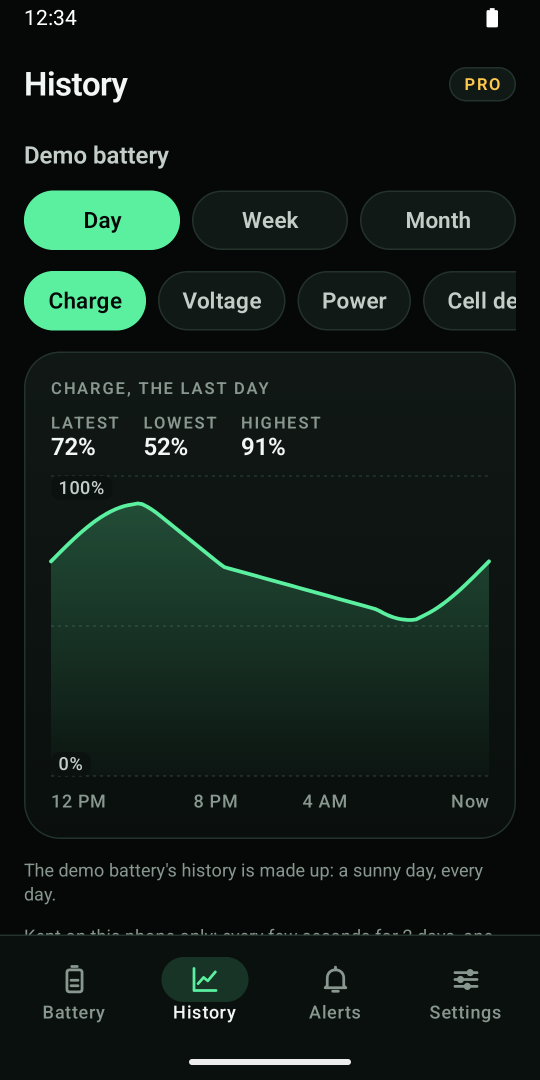
- History PRO keeps the charge, power, cell difference and temperatures by day, week and month on your phone.
- The battery report PRO puts the battery’s state and its last 30 days on one PDF page: handy for a warranty claim, or when you sell a caravan with the battery in it.
Questions
How long does a LiFePO4 battery last?
LiFePO4 cells are usually rated for several thousand charge cycles before they drop to 80% of their capacity. How long that takes depends on how hard you use it, the temperature and how well the cells stay balanced.
Can I check my lithium battery’s health with a multimeter?
Not really. A multimeter shows the voltage, which stays almost flat for most of the charge. You need the amp-hours and each cell’s voltage, which your battery’s board measures.
What does the health percentage on my BMS mean?
It’s the board’s estimate of how much the battery holds now compared with new. It’s only as good as the board’s count, so give the battery a full charge now and then.
Read next: the LiFePO4 voltage chart.